
A LOOK INSIDE ALPORT
Know what needs doing.
Give your team a clear next step.
A short tour of the workspace for hospitality owners, managers and site teams.
These are screenshots of the actual interface with fictional venues, people and records. They are examples, not customer results.
01 / DAILY OPERATIONS
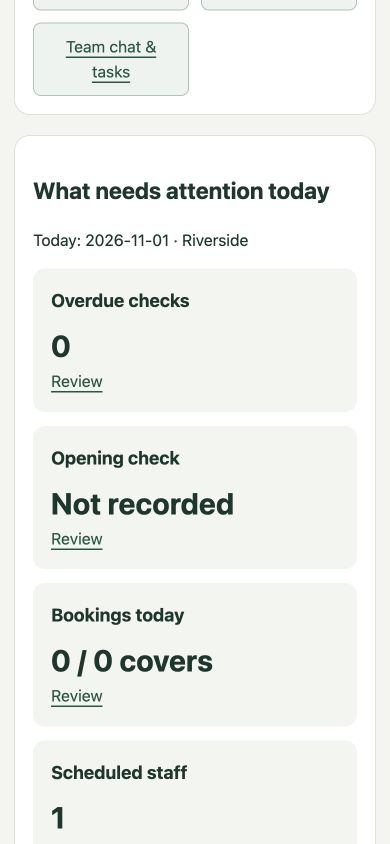
Open the right site. See what needs attention.
Bring overdue checks, today’s bookings, scheduled staff, low stock and team tasks into one page. Each action leads to the relevant workspace section.
- Owners can compare their sites.
- Staff see personal actions for their permitted sites.
- Phone-friendly shortcuts lead to shifts, checks, evidence and chat.
02 / SITE TEAMS
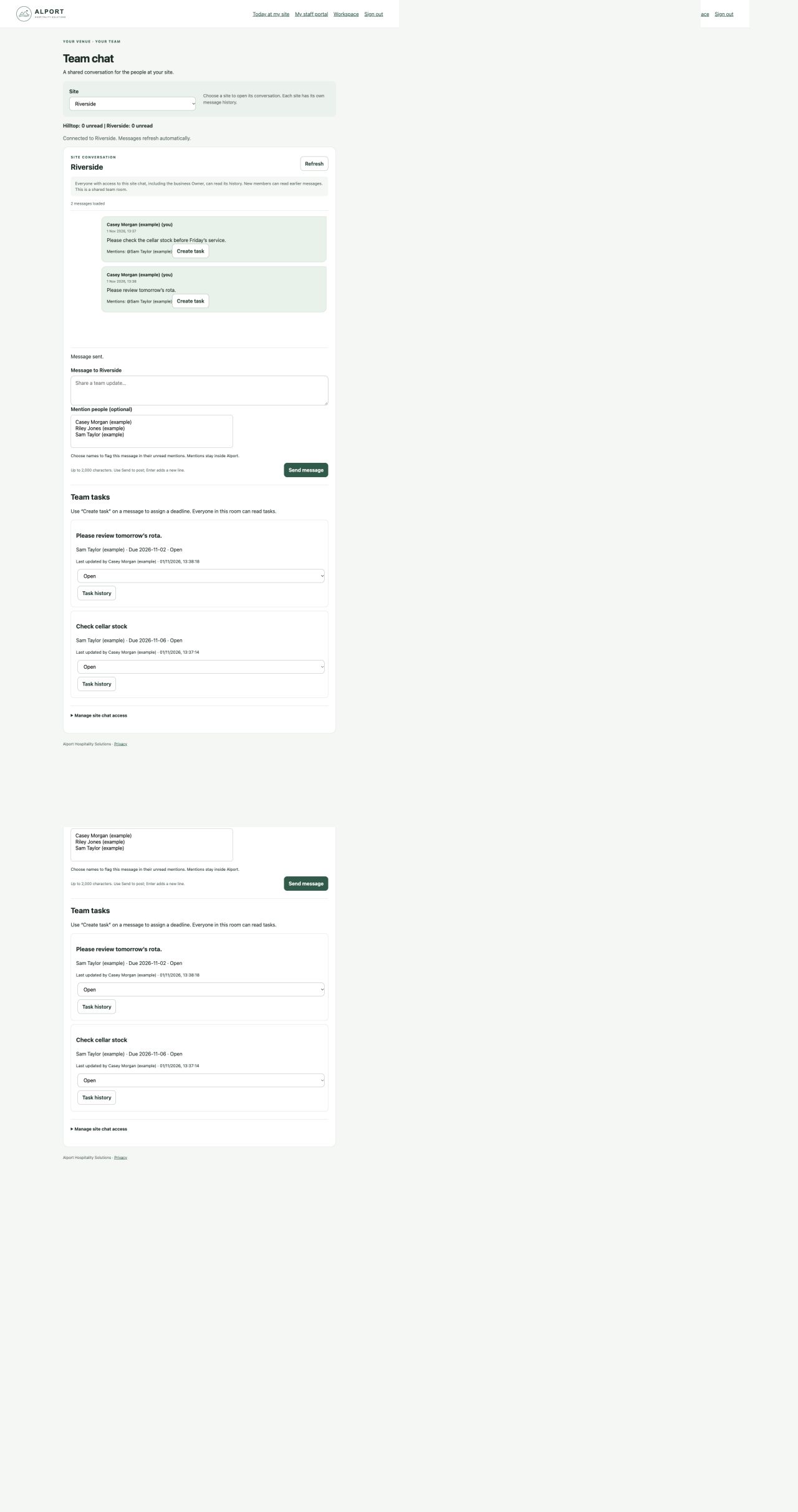
Turn a conversation into a task.
Keep each site’s conversation separate. Mention a colleague, check unread messages, then assign a message as a task with a responsible person and deadline.
- Task status and update history show who did what.
- Everyone with room access can read its messages and tasks.
- Mentions appear in Alport; email and push alerts are not included for chat.
03 / BUSINESS VISIBILITY
See the numbers with their context.
Compare recorded sales, stock costs, scheduled labour and estimated EBITDA against budgets and the previous month. Source dates and missing-data notices help explain what the figures do—and don’t—show.
- Clear warnings when records or budgets are missing.
- Setup essentials link directly to the next step.
- Owners can review business-wide record changes.
Management estimates use the workspace’s gross-value basis and recorded inputs. They are not statutory accounts or cash-profit figures.
Open full workspace screenshot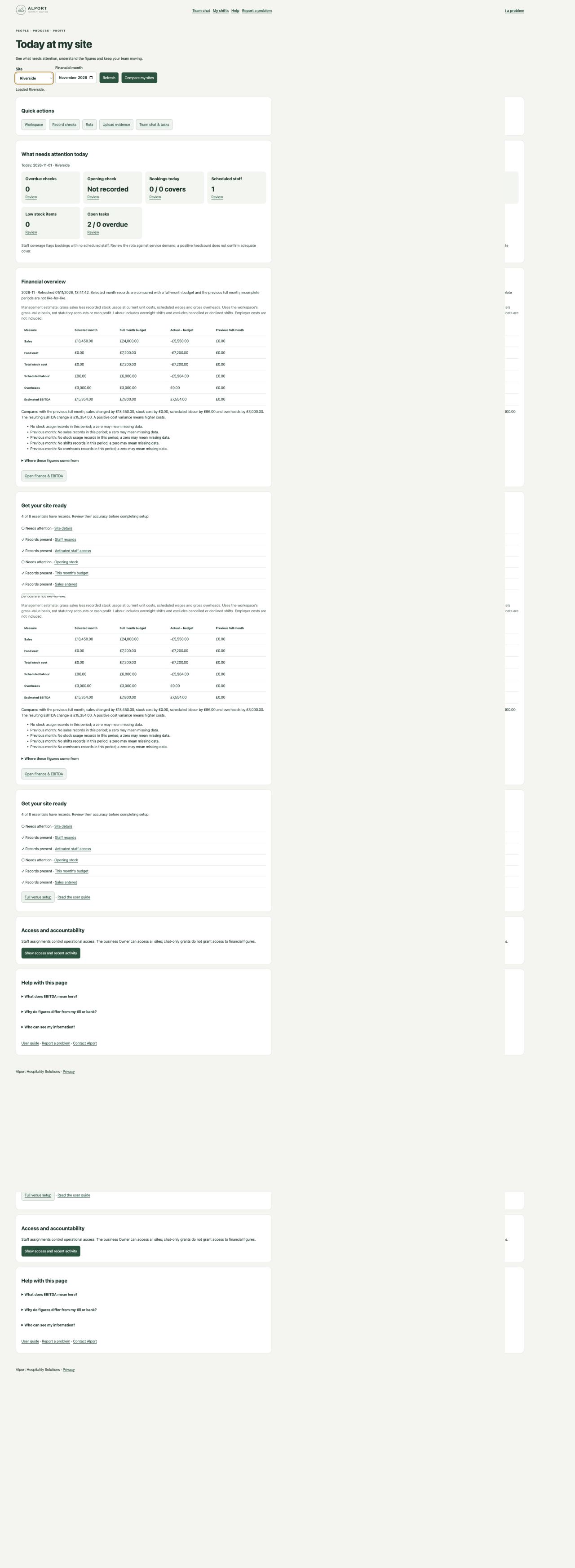
CLEAR VENUE PRICING
£1,000 + VAT per venue, per month.
Unlimited Alport users included. 12-month minimum term for new subscriptions. Each additional venue is charged at the same monthly venue rate.
One venue: £1,000 + VAT per month. Minimum 12-month subscription total: £12,000 + VAT.
Indicative pricing for new subscriptions, not a checkout or a change to an existing agreement. Existing contracted pricing remains governed by that agreement.
Included in Alport
- Unlimited user accounts
- Site operations and compliance records
- Stock, menu costing and purchasing tools
- People and staff management
- Financial management views
- Site chat and tasks
- User guide and support
Check before you connect
Third-party integrations need compatible services, authorisation and configuration. Provider charges may apply separately. Features described as planned or in development are subject to availability; ask Alport about your specific setup.
Before you get started
Will staff see every site’s figures?
The daily workspace restricts staff to their active site assignments. Financial views require full site manager access; the business Owner can compare all their sites. Chat access alone does not grant financial access.
How do I get help?
The signed-in website includes a user guide, contextual explanations and a report-a-problem form. You can also contact Alport through the support form.
Can I try the interface before joining?
This walkthrough shows the real interface using fictional records without creating an account. Contact Alport to discuss a guided demonstration for your venues.